
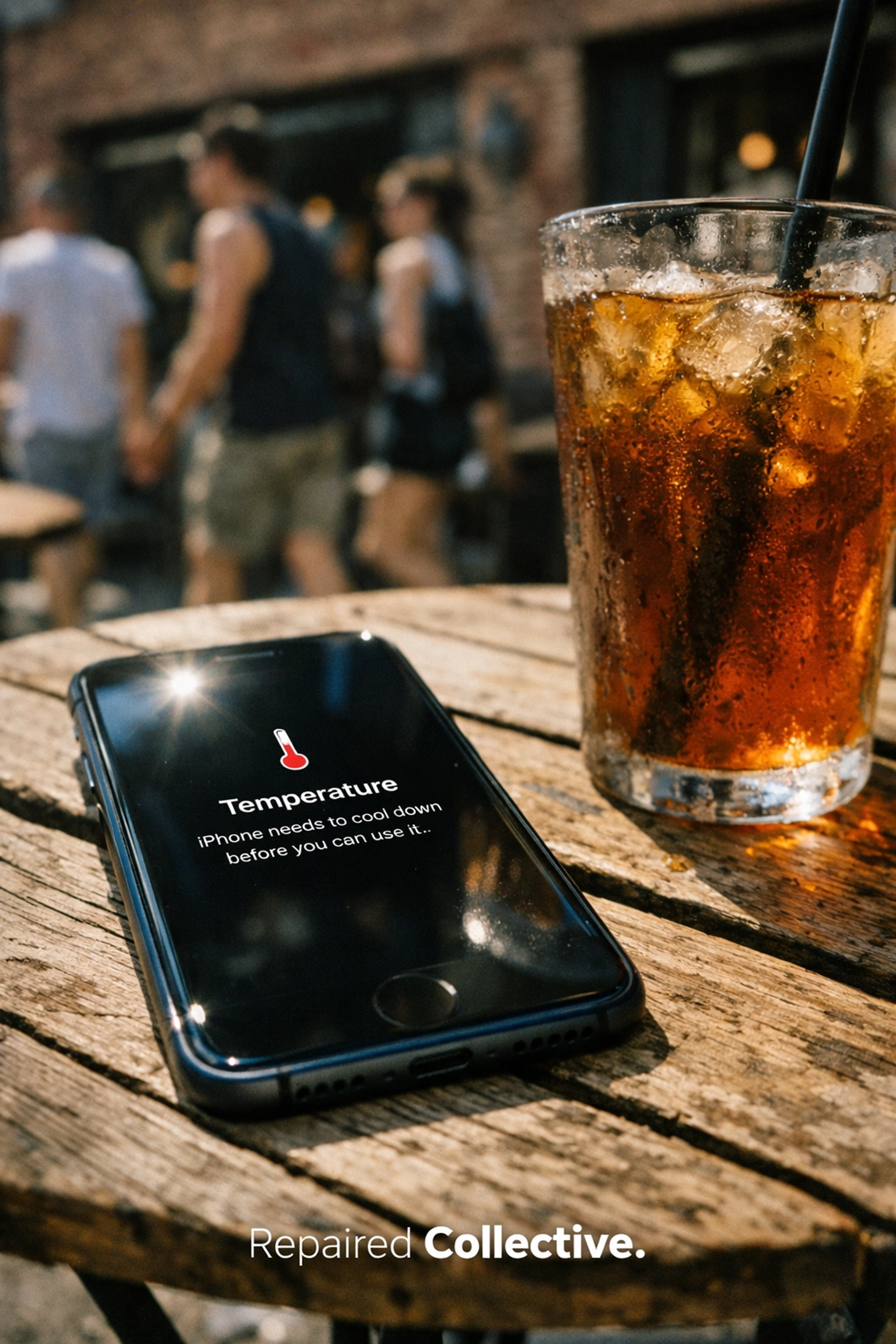
You’re walking down Bedford Avenue in Brooklyn, or perhaps rushing to a meeting in Midtown Manhattan, when you feel it. That unmistakable, uncomfortable warmth radiating from your pocket. You pull out your iPhone, and it’s not just warm: it’s sizzling. Suddenly, a dreaded warning pops up: "iPhone needs to cool down before you can use it."
At Repaired Collective., we see this every single day. A phone getting hot isn't just an annoyance; it’s a cry for help from your hardware. While iPhones are designed to dissipate heat, they have their limits. When those limits are pushed, your performance throttles, your battery drains, and you risk permanent internal damage.
Whether you're dealing with a minor temp spike or a persistent overheating problem, understanding the "why" is the first step to a cool, high-performing device. Here are the six most common causes of iPhone overheating and the professional steps you can take to fix them.
1. Environmental Heat: The NYC Summer Struggle
Your iPhone is a precision instrument, not a sunbather. Apple designed the iPhone to operate in temperatures between 32° and 95° Fahrenheit. In the concrete jungle of NYC, hitting that upper limit is easier than you think. Direct sunlight is the most frequent culprit we see at our repair hubs.
When you leave your phone on a café table in Williamsburg or on the dashboard of a car parked in the sun, the internal temperature skyrockets. Because the iPhone uses its metal frame and glass back to dissipate heat, being in a hot environment prevents that heat from escaping.
The Fix:
If your phone is getting hot due to the environment, move it to a cool, shaded area immediately. Remove the case to allow better air circulation. Avoid the temptation to throw it in the fridge (condensation is a silent killer!); instead, let it cool down naturally at room temperature.
2. Battery Degradation: The Deadbeat Battery Syndrome
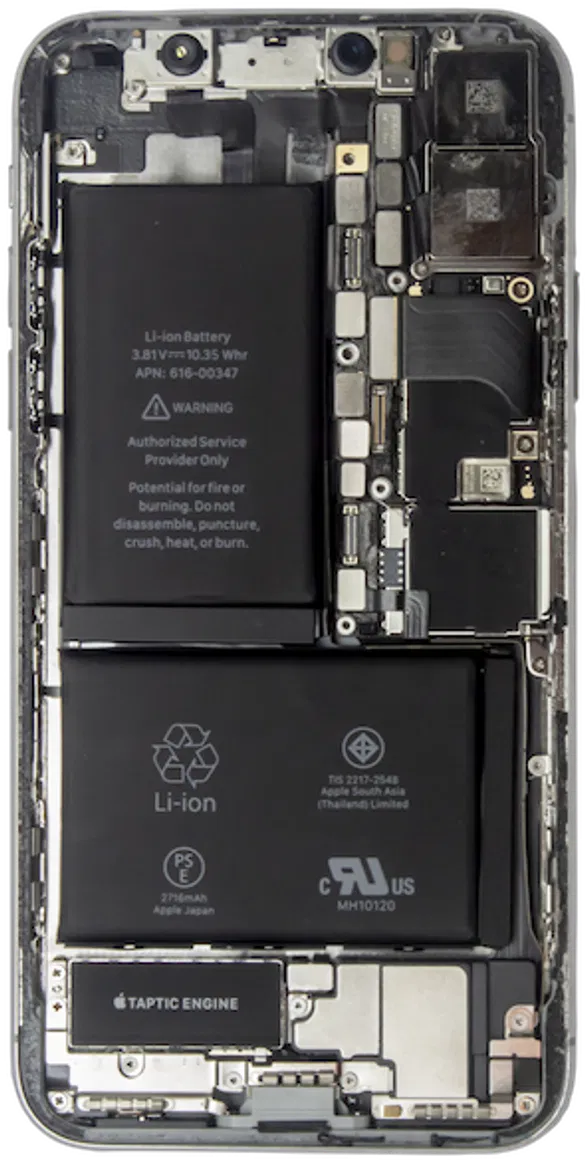
The heart of your iPhone is its lithium-ion battery. Over time, these batteries undergo chemical aging. A degraded battery doesn't just hold less charge; it becomes inefficient at managing power. This inefficiency creates internal resistance, which manifests as heat.
If your iPhone feels hot specifically while charging or during light use, your battery might be the "deadbeat" culprit. We often see customers who have ignored a "Service" message in their settings, only to end up with a device that feels like a hand warmer.
How to Check:
Go to Settings > Battery > Battery Health & Charging. If your Maximum Capacity is below 80%, your battery is likely the primary source of your overheating issues. At Repaired Collective., we specialize in the miracle of battery replacements, swapping out tired cells for premium components that keep your device cool and resilient.
3. Software Glitches and "Zombie" Apps
Sometimes, the heat isn't coming from the hardware itself, but from the demands being placed on it by the software. iOS is a complex ecosystem. Occasionally, an app update goes wrong, or a "zombie app" gets stuck in a loop in the background, consuming 100% of your CPU (Central Processing Unit) power.
When your processor is working at maximum capacity, it generates significant heat. This is often accompanied by a "laggy" interface and a battery that drops 20% in an hour.
The Fix:
- Update Everything: Ensure you’re running the latest version of iOS and that all your apps are updated in the App Store.
- Force Restart: Sometimes a simple "hard reset" clears the temporary cache and kills stuck processes.
- Background App Refresh: Go to Settings > General > Background App Refresh and turn it off for apps that don't need it. This reduces the constant "pinging" that keeps the processor active.
4. Processor-Intensive Activities: Pushing the Limit
Let’s be honest: we ask a lot of our phones. High-end gaming, streaming 4K video, or using GPS navigation while your screen is at max brightness creates a "perfect storm" for heat. When the GPU (Graphics Processing Unit) and CPU are both firing on all cylinders, the logic board gets hot: fast.
If you’re playing a graphic-heavy game while riding the subway and charging via a power bank, you’re essentially running a marathon in a sauna.
The Fix:
Give your phone a breather. If it starts to feel uncomfortable, close your intensive apps (swipe up and toss them away). Lower your screen brightness and, if possible, wait until you're in a cooler environment to resume your gaming or heavy editing.

5. Heavy Data Usage and Signal Hunting
Have you ever noticed your phone getting hot in areas with poor cellular reception? When your iPhone struggles to find a stable 5G or LTE signal, it ramps up the power to its internal antennae. This constant "searching" or "hunting" for a tower is an energy-intensive process that generates heat.
Similarly, downloading massive files or streaming high-definition content over cellular data (rather than Wi-Fi) puts a heavy load on the modem.
The Fix:
If you're in an area with a weak signal, toggle on Airplane Mode for a few minutes. If you have access to a stable Wi-Fi network, use it. This takes the load off the cellular modem and helps bring the internal temperature back down to a safe range.
6. Cluttered Storage Space
A full iPhone is a stressed iPhone. When your storage is nearly at capacity (less than 1-2GB remaining), iOS has to work significantly harder to move data around, swap files, and manage background tasks. This "digital friction" slows down your phone and causes the processor to run hot as it tries to navigate the clutter.
The Fix:
Take a moment to delete those thousands of blurry screenshots and old screen recordings. Go to Settings > General > iPhone Storage to see what's eating your space. Aim to keep at least 10% of your total storage free to allow iOS to breathe. For devices that are truly bogged down, a professional diagnostic at Repaired Collective. can identify if a system restore is the best path forward.

Emergency Cooling Steps: What to Do Right Now
If your phone is currently displaying the temperature warning, don't panic. Follow these immediate action steps to protect your hardware:
- Unplug Immediately: If you’re charging, disconnect the cable. Charging adds more heat to an already stressed system.
- Power Down: Turn the phone off completely. This stops all electrical activity and allows the components to cool.
- Strip the Case: Most cases act like a thermal blanket. Take it off to expose the glass and metal to the air.
- Fan It: Use a piece of paper or a small fan to move air across the device.
- Shade is Your Friend: Get it out of the sun and into the AC or a shaded spot.
What NOT to do: Do not put your phone in a freezer or an ice chest. Rapid temperature changes can cause the internal glass components to crack or create condensation inside the phone, leading to permanent water damage.
When Is It Time for Professional Repair?
If you’ve tried the software fixes, cleared your storage, and stayed out of the sun, but your iPhone is still getting hot, you likely have a hardware issue. This could range from a failing battery to a short circuit on the logic board.
A phone that consistently overheats isn't just a nuisance: it’s a safety risk and a sign that your device's lifespan is being cut short. At Repaired Collective., we provide expert diagnostics for Manhattan and Brooklyn residents. Our technicians can open up the device (the display assembly) to check for internal obstructions, thermal paste issues, or failing components.
Whether you need a premium battery replacement or a more complex internal repair, we ensure your device returns to that "cool-to-the-touch" factory feel. Don't let a sizzling screen turn into a permanent problem.

Ready to Restore the Potential of Your iPhone?
If your iPhone is acting up and you're tired of the heat, let the experts take a look. We offer superior service with the utmost care for your data and hardware.
To book an appointment for a repair at repairedcollective.com
If your device is beyond repair or you're looking to upgrade, consider the circular economy. Don't let your old tech become e-waste. Learn more about how to responsibly recycle or trade in your older devices at MetroCycle.org.
Stay cool, NYC!
#RepairedCollective #PhoneRepairNYC #NYC #Brooklyn #TechRepair #RightToRepair #CircularEconomy #EWaste #SustainableTech #ManhattanTech #Williamsburg #BedStuy