
Sunday evening. You're posted up on the couch, blanket on, phone in hand, and there’s snow falling outside in Brooklyn like the city hit “mute.” You’re prepping for the week ahead: meal planning, laying out your work clothes, maybe even getting a head start on that Monday morning to-do list. But here’s a question: when’s the last time you gave your iPhone the same Sunday reset treatment?
Your phone works harder than you do. It's your alarm clock, your calendar, your camera, your GPS, your wallet, and your lifeline to literally everything. Yet most of us treat it like it runs on magic until the battery dies at 2 PM or the screen goes dark for good.
Here's the truth: a little preventative maintenance on Sunday can save you from emergency mobile phone repair NYC situations mid-week. And we're not talking about rocket science here, just five simple habits that'll keep your device running smooth, your battery lasting longer, and your wallet a whole lot happier.
Let's get into it.
1. Check Your Battery Health (And Actually Do Something About It)
Your iPhone's battery health isn't just a number in your settings, it's a crystal ball showing you how many months you've got before you're hunting for outlets like a digital nomad in survival mode.
Here's your Sunday ritual: Head to Settings > Battery > Battery Health & Charging. If you're seeing anything below 80% maximum capacity, your battery is officially on borrowed time. But even if you're sitting pretty at 90%, there's still work to do.
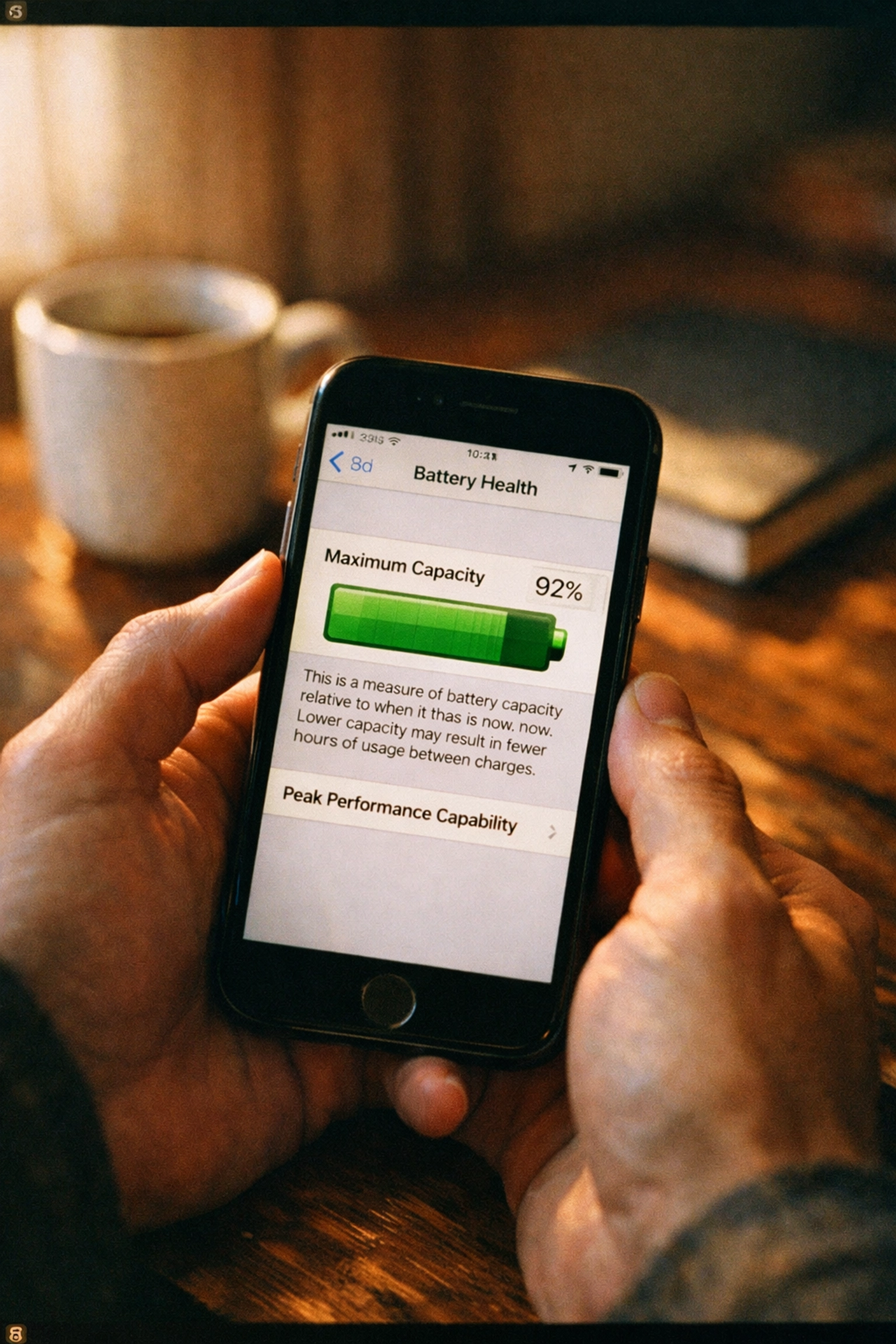
Enable Optimized Battery Charging if you haven't already. This feature learns when you typically charge your device (like overnight) and stops charging at 80% until you need it, reducing battery wear. It's like letting your phone take a breather instead of force-feeding it electricity for eight hours straight.
Here's the kicker: temperature is your battery's biggest enemy. If you're leaving your phone in a hot car, on a sunny windowsill, or charging it under a pile of blankets, you're basically speed-running battery degradation. Keep it between 32°F and 95°F, and if your phone gets warm while charging, take the case off. That extra heat trapped inside isn't doing you any favors.
Pro tip from the repair shop: We see more battery-related iPhone repairs in NYC during July and January than any other months. Extreme temperatures kill batteries faster than heavy usage ever will.
2. Clear the Digital Clutter (Your Phone's Spring Cleaning)
You know that feeling when your phone starts lagging, apps take forever to open, and everything just feels… sluggish? That's not your device being dramatic, it's drowning in digital debris.
Sunday is cache-clearing day. Safari alone stores thousands of website files, cookies, and cached images that pile up like snow in February. Navigate to Settings > Safari > Clear History and Website Data and nuke it all. Your browser will thank you with faster load times.
But don't stop there. Head to Settings > General > iPhone Storage and scroll through your apps. See those massive storage numbers next to apps you barely use? That's dead weight. Offload apps you don't use regularly, this deletes the app but keeps your data, so you can reinstall it later without losing anything.
Photos and videos are the silent storage killers. If you're not using iCloud Photos already, it's time. Upload everything to the cloud and enable "Optimize iPhone Storage" so your device only keeps smaller versions locally. You'll reclaim gigabytes instantly.
Why this matters for longevity: A phone running at 90% storage capacity is constantly working overtime to manage files, which drains battery and slows performance. Give it room to breathe.
3. Clean Your Charging Port (Yes, Really)
This one sounds basic, but we see more "my phone won't charge" panic calls that end up being dirty ports than actual hardware failures. Lint, dust, and pocket debris build up in that Lightning or USB-C port like it's their job, preventing your charging cable from making proper contact.
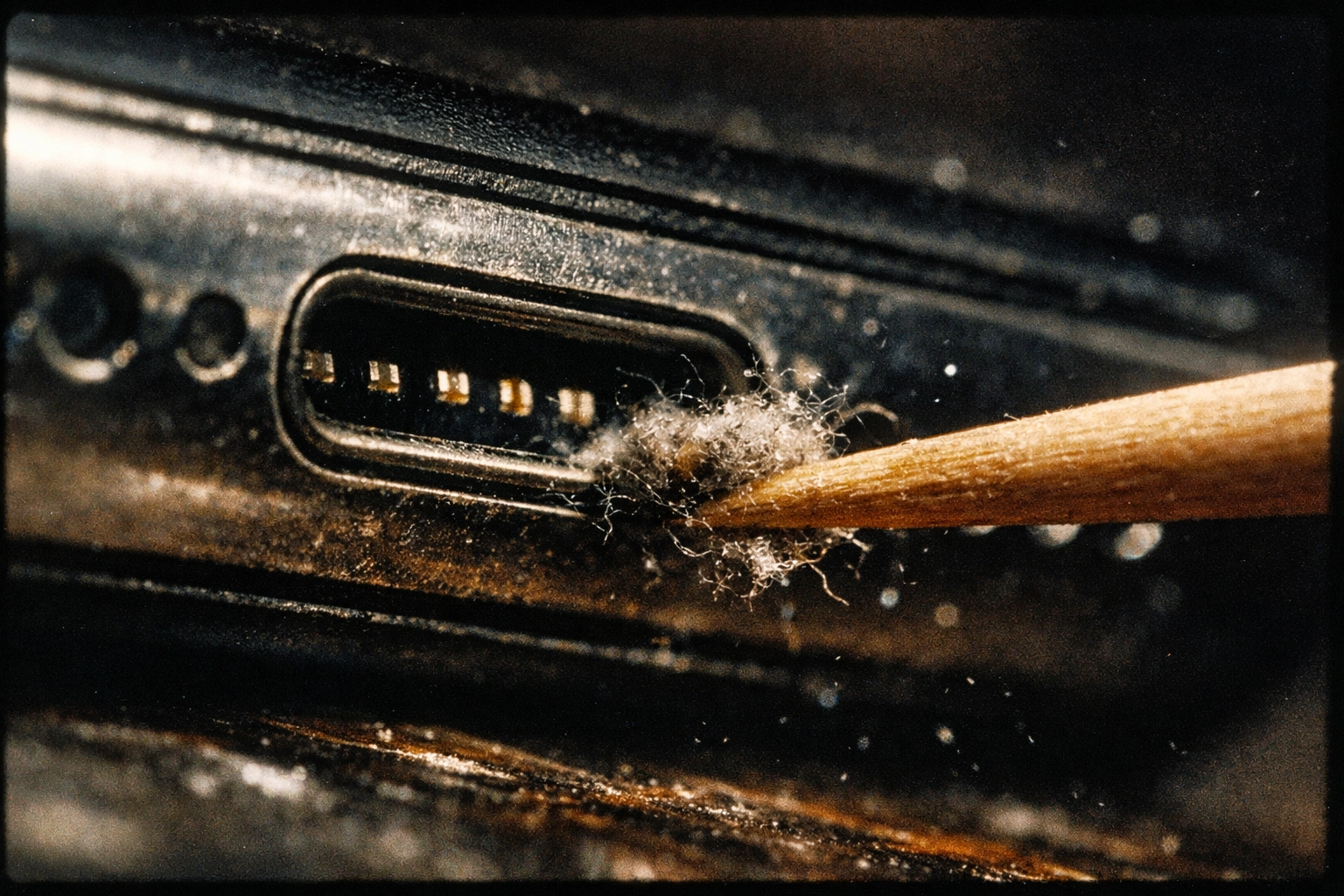
Grab a wooden toothpick or a soft-bristled brush: nothing metal that could damage the delicate pins inside. Gently scrape out the gunk from the charging port, the speaker grilles, and even the SIM card tray. You'll be shocked at what comes out.
What NOT to use:
- Compressed air (it forces debris deeper into the port)
- Metal tools (one slip and you've got a $200 repair bill)
- Household cleaners (moisture + electronics = disaster)
For the screen and back glass, use a microfiber cloth: preferably one dampened slightly with water, not chemical cleaners. Wipe down your entire device, including the camera lenses. A clean lens takes better photos, and clean glass prevents scratches from grinding in dirt particles.
Sunday habit: Make this a weekly ritual, right before you charge your phone overnight. Clean device, clean port, full charge: you're starting Monday ahead of the game.
4. Tame Your Background Apps (The Silent Battery Killers)
You've got apps running in the background right now that you forgot existed. They're refreshing content, pulling location data, and draining your battery like energy vampires: and you didn't even open them today.
Time for a background app audit. Go to Settings > General > Background App Refresh and scroll through the list. Ask yourself: "Does this app need to update content when I'm not using it?"
Your banking app? Probably not. Your news app? Definitely not. Your email? Maybe: if you're expecting urgent messages. Be ruthless here. Turn off Background App Refresh for anything that doesn't need real-time updates.
While you're in settings, check Location Services too (Settings > Privacy & Security > Location Services). Apps that constantly track your location are battery hogs. Switch them to "While Using the App" instead of "Always" unless there's a legitimate reason they need 24/7 access.
The payoff: Users who optimize these settings report 2-3 extra hours of battery life daily. That's the difference between making it home on a single charge versus hunting for an outlet during your commute.
5. Update Everything (Then Reset Your Settings)
Software updates aren't just about new emojis and features: they patch security vulnerabilities, fix bugs that drain battery, and improve overall performance. Yet somehow, half the cracked iPhones we repair for iPhone repairs NYC are still running iOS versions from two years ago.
Your Sunday update checklist:
- Back up your device (iCloud or computer: pick one, just do it)
- Install any pending iOS updates (Settings > General > Software Update)
- Update all apps in the App Store
- Restart your phone once everything's updated
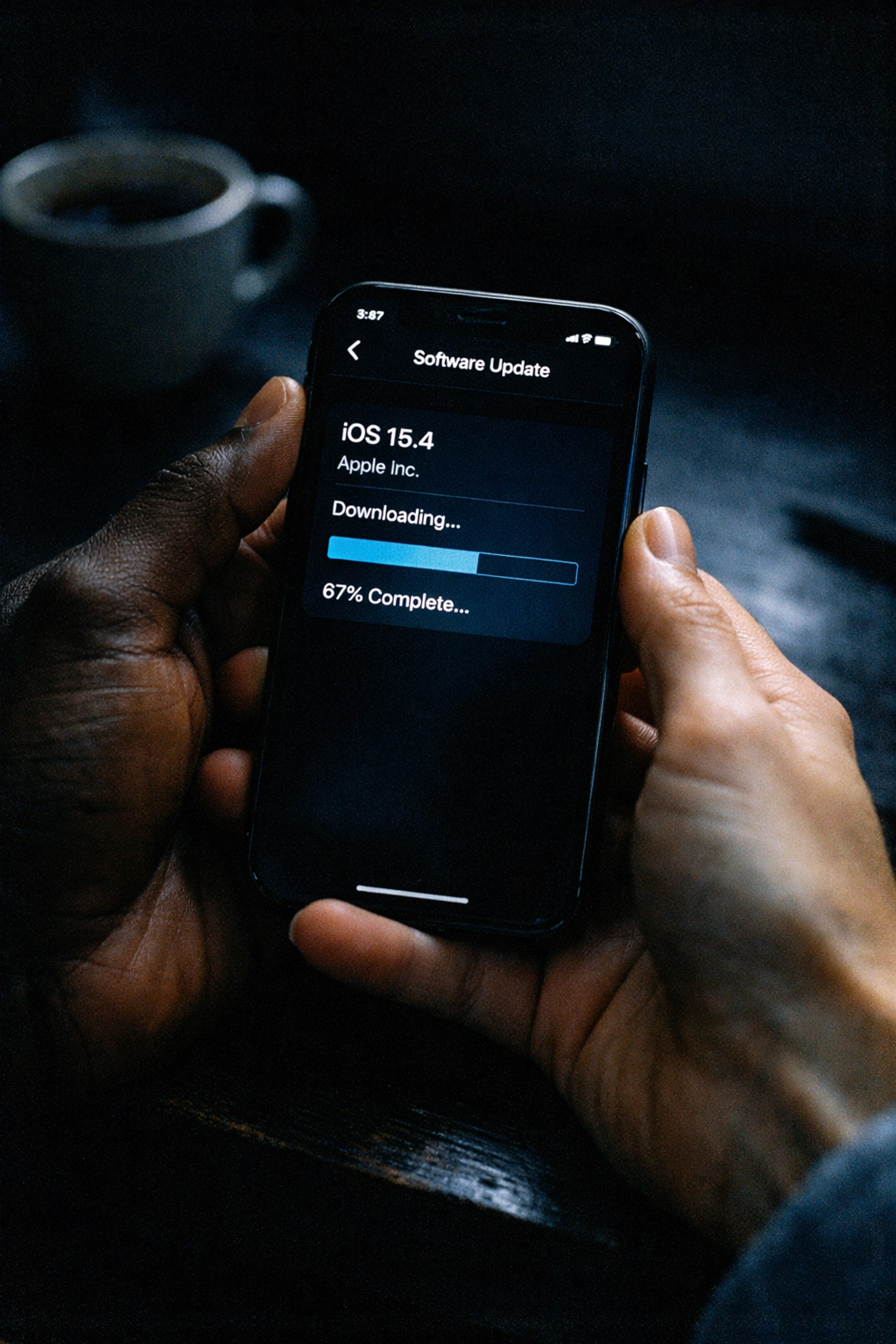
Here's the advanced move: every few months, do a settings reset. Not a factory reset: that's overkill. Go to Settings > General > Transfer or Reset iPhone > Reset > Reset All Settings. This clears out accumulated system clutter and preference conflicts without deleting your apps, photos, or data.
Fair warning: You'll need to re-enter Wi-Fi passwords and reconfigure some preferences, but the performance boost is worth it. Your phone will feel faster and more responsive, like it just came back from a spa day.
The Sunday Reset Mindset
Here's what we've learned after repairing thousands of devices: most phone problems are preventable with basic maintenance. The people who take ten minutes every Sunday to care for their devices are the ones who get 4-5 years out of an iPhone instead of limping to year two with a battery that dies by lunch.
Think of it like this: you change your car's oil, you clean your apartment, you meal prep for the week. Your phone deserves the same energy: especially since you probably interact with it more than anything else in your life.
These five habits won't just extend your device's lifespan: they'll save you from mid-week repair emergencies, surprise battery replacements, and that sinking feeling when your phone dies during an important call. And if you ever do need professional help, we've got you covered with same-day service and honest pricing.
But ideally? You won't need us at all. And that's exactly how we like it: keeping New Yorkers' devices running smooth so you can focus on what actually matters.
Ready to give your iPhone the Sunday reset it deserves? Start this weekend. Your future self (and your battery) will thank you.
Need a battery replacement or professional diagnostic? Book an appointment at Repaired Collective and we'll get you taken care of: usually same day.
#RightToRepair #RepairNotReplace #SustainableTech #CircularEconomy #RepairedCollective #PhoneRepairNYC #NYC #Brooklyn #TechRepair